Fn-key push-to-talk
No app switching, no clicking. Use the key already on your keyboard.
Mac dictation · Three ways to start
ParlaParla turns speech into polished text anywhere on your Mac. Free on the Mac App Store with on-device Apple Speech, $19 one-time for Pro with auto-paste and your own OpenAI key, or $9.99/mo for Cloud where we handle everything.
Free on the Mac App Store · Pro from $19
We can't see what you dictate. By design.
macOS 26 Tahoe or later · Free, $19 once, or $9.99/mo
Modern dictation apps charge $15 a month or more — for access to the same OpenAI technology you could use yourself. Your voice data flows through their servers. Your workflow depends on their uptime. Your costs never go down.
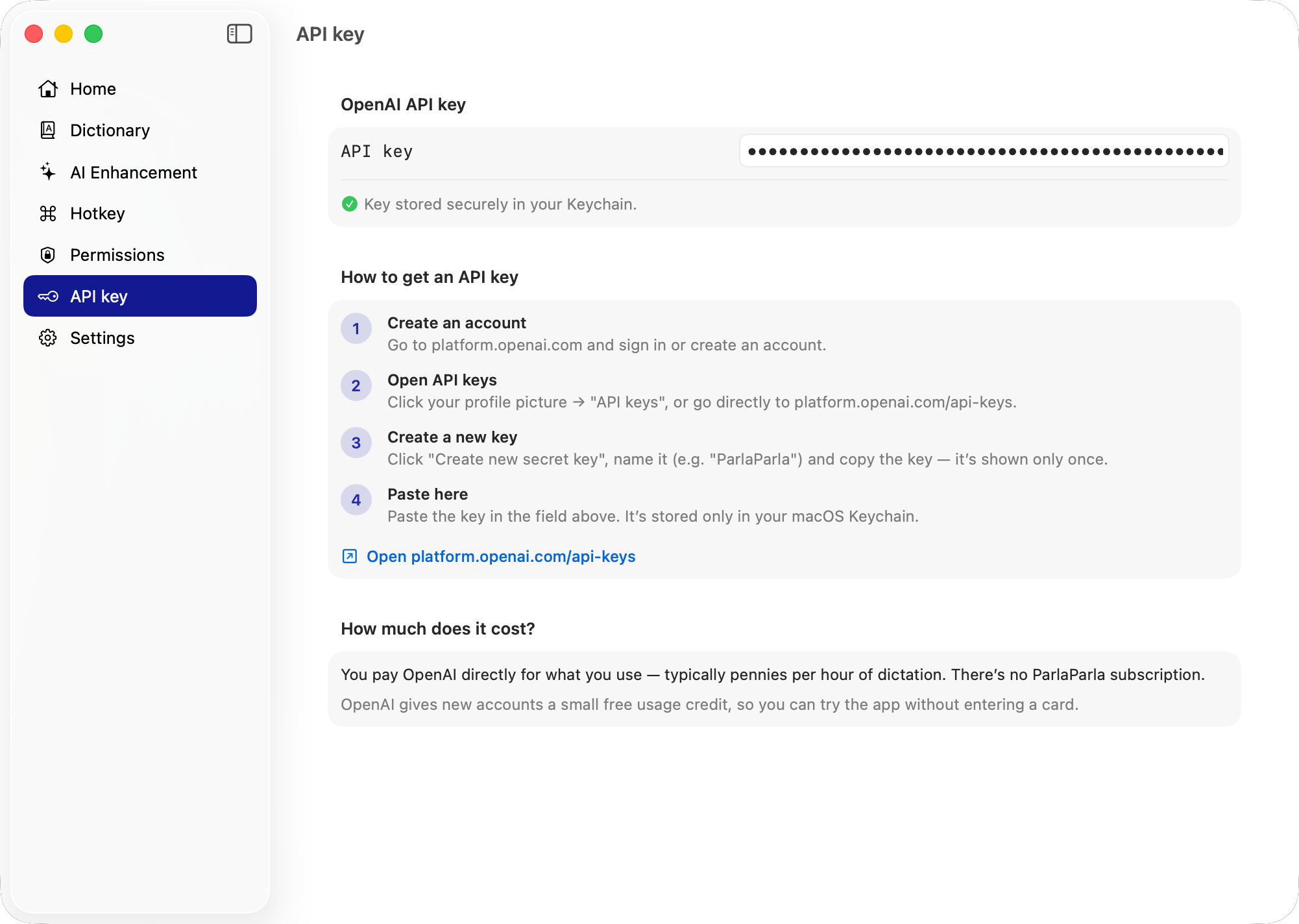
ParlaParla does it differently. You bring your own OpenAI API key. Audio goes straight from your Mac to OpenAI. Nothing passes through us, because we don't run any servers. You pay OpenAI directly at their standard rates — most users spend under $2/month.
The result: a Mac-native dictation app that respects your privacy, your wallet, and your workflow.
Free or Pro: create a free OpenAI key at platform.openai.com — stored locally, never on servers. Cloud: skip this step — we handle OpenAI for you.
Works in any app. Release to insert. Double-tap for hands-free recording. No window to open, no button to click.
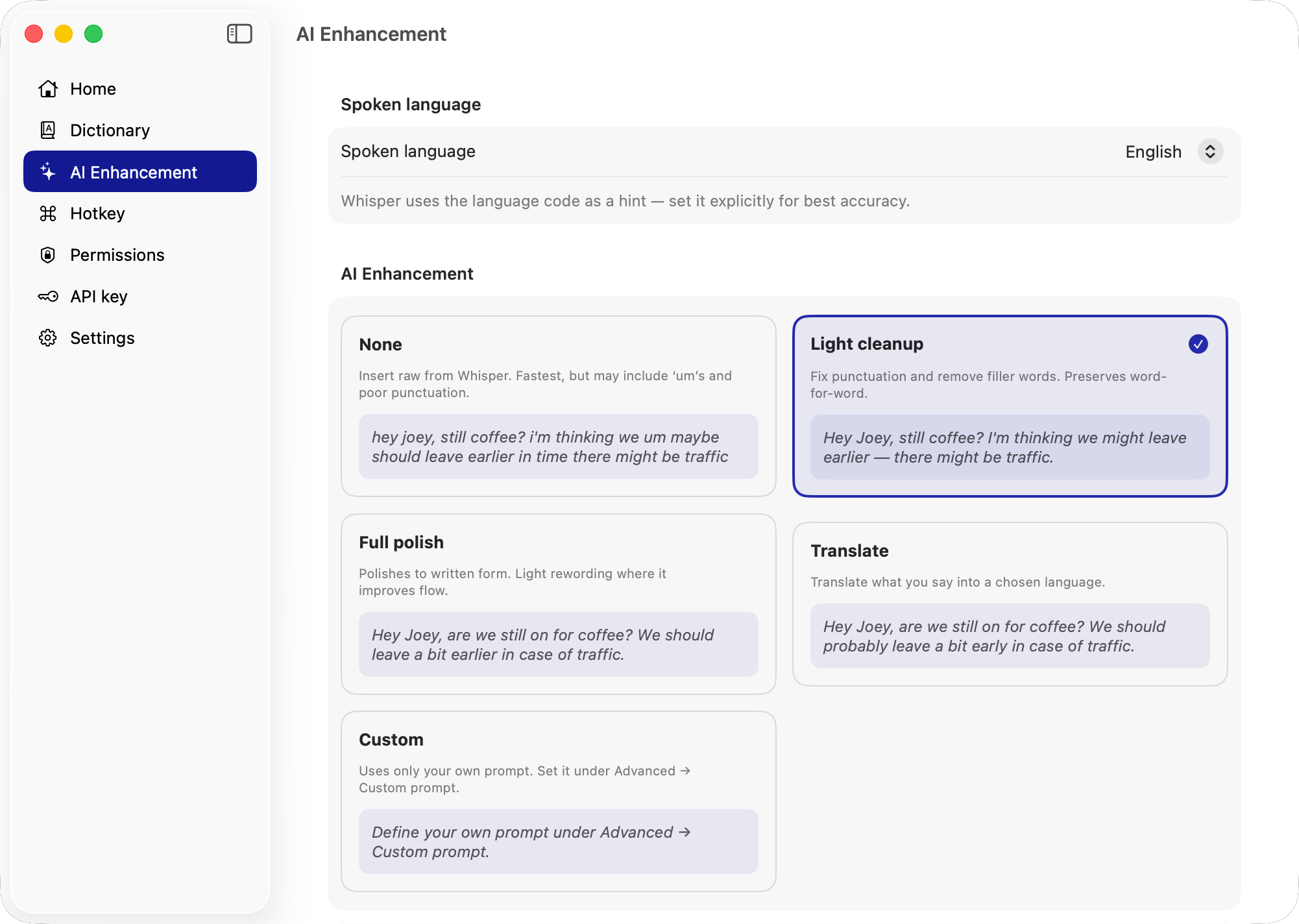
Optional AI cleanup fixes filler words and punctuation in the background. Pick your level — from raw to fully rewritten.
No app switching, no clicking. Use the key already on your keyboard.
Slack, Mail, Notion, Terminal, Xcode, Safari — if you can type there, you can dictate there.
Names, brands, and technical terms spelled correctly every time.
None, light cleanup, full polish, custom prompt, or translate on the fly.
Transcribes in 57 languages via OpenAI's speech model. App interface available in eight languages.
API key stored locally. No servers. No telemetry. Sandboxed.
Hold Fn and speak in whichever language is easiest for you. ParlaParla transcribes, polishes, and translates on the fly — the final text is inserted in the language you picked, no tab switching, no copy-paste into Google Translate.
Hi Morten, could we push tomorrow's meeting back by half an hour? Something came up that I need to handle first.
Hej Morten, kunne vi skubbe mødet i morgen en halv time tilbage? Der er dukket noget op, som jeg er nødt til at klare først.
Thanks for taking the time to meet today. I'll send over a revised proposal tomorrow with the updated hours estimate.
Vielen Dank, dass Sie sich heute Zeit für unser Gespräch genommen haben. Ich schicke Ihnen morgen einen überarbeiteten Vorschlag mit einer aktualisierten Stundenschätzung.
Perfect for writing emails, Slack messages, or code comments at native-language speed — in a language that isn't your native one.
Choose how much cleanup you want. Here's the same spoken sentence at three levels.
hey joey you still up for coffee i was thinking uh maybe we should leave a bit earlier there might be traffic
Hey Joey, you still up for coffee? I was thinking — maybe we should leave a bit earlier, there might be traffic.
Hey Joey, are we still on for coffee? We should probably leave a little earlier in case of traffic.
For Free and Pro: your voice never touches our infrastructure — it goes directly to OpenAI. Cloud: we proxy through our EU Cloudflare Worker, but audio is never stored or logged.
Free and Pro: your audio goes directly from your Mac to OpenAI — we don't operate any servers. Cloud: audio is proxied through our Cloudflare Worker — never stored, immediately forwarded and discarded.
Your OpenAI API key is stored locally on your Mac and never transmitted to any server — we don't operate any.
ParlaParla uses Apple's App Sandbox entitlement. We can't read files you don't explicitly grant us access to.
Real numbers. Apple Dictation is free but tied to your Mac's language. Wispr Flow is $15/month flat. ParlaParla scales with you — free, $19 once, or $9.99/month if you want us to handle the cloud.
| ParlaParla | Wispr Flow Pro | Apple Dictation | |||
|---|---|---|---|---|---|
| Free | Pro | Cloud | |||
| Price | $0 | $19 once | $9.99 / month | $15 / month | Free |
| Distribution | Mac App Store | Direct download | Direct download | Direct download | Built into macOS |
| Auto-paste into any app | ⌘V to paste | Yes | Yes | Yes | No |
| Engine | BYOK Whisper · Apple Speech | BYOK Whisper · Apple Speech | Hosted Whisper · Apple Speech | Proprietary | Apple Speech |
| Works offline | With Apple Speech | With Apple Speech | With Apple Speech | Partial | Yes |
| AI cleanup | BYOK | BYOK | Hosted (we handle it) | Yes | No |
| Languages | 57 (Whisper) · 8 (Apple) | 57 (Whisper) · 8 (Apple) | 57 (Whisper) · 8 (Apple) | 100+ | Mac locale only |
| Privacy | Local key, no servers | Local key, no servers | Our EU proxy, no audio stored | Cloud processing | On-device |
| Cost at 5 hrs/month (Whisper) | ~$1.80 (BYOK) | ~$1.80 (BYOK) | $9.99 | $15.00 | Free (Apple Speech) |
| Cost at 20 hrs/month (Whisper) | ~$7.20 (BYOK) | ~$7.20 (BYOK) | $9.99 | $15.00 | Free (Apple Speech) |
BYOK costs reflect OpenAI list rates as of April 2026 — set hard spending limits in your OpenAI dashboard. Cloud is a flat $9.99/month with a 30-hour fair-use cap. Apple Speech is always free across Free, Pro and Cloud.
Pay nothing, $19 once, or $9.99 a month. Switch tiers any time. No lock-in.
$0
Mac App Store
$19 once
Direct download
No subscription. Pay OpenAI directly. 14-day money-back guarantee.
$9.99 /month
Direct download
We handle OpenAI for you. Best value at 5+ hrs/week.
All paid plans: 14-day free trial, 14-day money-back via Paddle, 3 Macs per license. See full comparison →
Free is on the Mac App Store and uses Cmd+V paste. Pro ($19 once) is direct download with auto-paste — bring your own OpenAI key. Cloud ($9.99/mo) is direct download with auto-paste AND we handle OpenAI for you. Switch tiers any time.
Apple's guideline 2.4.5 prohibits using the Accessibility API for non-accessibility purposes. We respect their decision. The direct-download Pro version uses the same mechanism Apple's own Dictation feature uses.
Free and Pro: yes. Create a free account at platform.openai.com — new accounts get a small free credit. Cloud: no — we include OpenAI usage in the $9.99/month subscription.
Pro is $19 once, then OpenAI bills you directly: roughly $0.36 per hour of dictation. Most BYOK users spend $1.50–$4 per month total in OpenAI fees.
Free/Pro: audio goes directly from your Mac to OpenAI and is deleted. We don't see it. Cloud: audio is proxied through our Cloudflare Worker to OpenAI — never stored, only request duration is logged for fair-use tracking.
Apple Speech works fully offline (Free, Pro, and Cloud). OpenAI transcription and AI cleanup require internet.
Yes. At /account you can upgrade and we'll prorate the first month. You can also downgrade Cloud → Pro at any time.
ParlaParla falls back to BYOK mode — add your OpenAI key in settings and you keep auto-paste and every other Pro feature. We don't lock you out.
macOS 26 Tahoe or later, Apple Silicon or Intel.
Yes. The default is Fn, but you can bind any shortcut you want in Settings.
57 languages for transcription via OpenAI gpt-4o-transcribe. Apple Speech supports the languages your Mac is configured for. The app interface is in eight languages: English, Danish, Norwegian, Swedish, German, French, Spanish, Italian.
Not currently, but we may open-source parts of it in the future.
Guides and comparisons on Mac voice-to-text, OpenAI Whisper, and dictation workflows.
PR descriptions, commit messages, Slack threads — developers write more prose than they realize. Here's how voice-to-text changes that for ~$2/month.
We tested every major AI dictation app for Mac in 2026. Ranked by accuracy, price, privacy, and Mac integration.
Wispr Flow costs $180/year. Here are 7 alternatives that match its accuracy — some for $2–5/month, one for free.
Free on the Mac App Store. $19 once for Pro with auto-paste. $9.99/mo for Cloud — we handle OpenAI for you.
Get ParlaParlamacOS 26 Tahoe or later